Favourite iCompleat reports

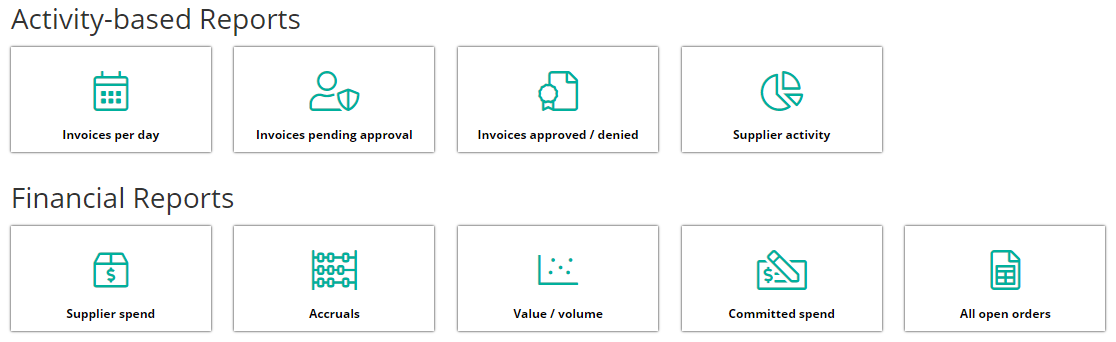
Which iCompleat reports do you use the most & why are they beneficial to you?
Share your thoughts in the comments!
-

I guess I'll be the first to comment... none of them are my favourite unfortunately.
First thing is that when exporting reports to Excel, we often get an error popup as below, clicking the 'Export to Excel' button again usually works after 2-3 clicks if it didn't first time, but has been known to take half a dozen attempts or more. The times this error happened did reduce significantly some weeks ago but it definitely still happens sometimes as recently as Tuesday 20th July. This is user and browser independent, multiple users, across Internet Explorer, Google Chrome and Microsoft Edge have experienced this.

As for the reports themselves, the accruals report is the most used, and should be the best... but it has failings. Most critically is that it doesn't contain the line descriptions of the orders, or indeed the order 'title' meaning that checking what an accrual is actually for is not as simple as looking at the report. Also the report includes columns with no data such as 'Title' which appears to always be blank (presumably is meant to hold the order title but does not).
Given the report description is "a detailed breakdown of all accruals (transactions yet to be fully approved) recorded by iCompleat", why does it show some orders that have a matching status of 'closed for matching', those do not need accruing. I can see most of these 'closed for matching' also have a value in 'remaining total' but if it is closed then the order is complete, regardless if there is a value discrepancy between the invoiced amount and the order as nothing will be accrued now. Even so there are some orders in the report that have a value of zero in the remaining total which is even more confusing. Also the number of items in the report is inconsistent. I just ran this report moment ago, 'Show all' in iCompleat displays 582 items, I then export to Excel and there are... 648 items, in an attempt to understand this discrepancy I even checked if the iCompleat figure was only specific things, filter spreadsheet to orders only gives 637 items, unique order numbers gives 576 items so no idea where 582 is coming from.
Similarly the 'All open orders' report has the same failings and really seems to serve a near identical purpose with only minor differences mentioned further below, having both seems redundant. Though at least with the description of the open orders report being "a detailed breakdown of all approved orders with an open balance against them", there is at least some logic to orders with a matching status of 'closed for matching' but with a remaining value appearing in this report, though again the same items that are both closed for matching and have no remaining balance are appearing in this report as the accruals report.
The only differences between the two reports seems to be that the accruals report includes unprocessed invoices whereas the open orders report does not, and the open orders report includes orders set to be delivered in the future whereas the accruals report does not. Really one report with two check boxes to include unprocessed invoices and orders due to be delivered in the future (or better yet a date field for deliveries up until date or check box to include all orders would allow even more scope) would be a better layout.
-

Hello Nigel, first of all, thank you for taking the time to comment here. We want this community to be a place for our users to voice their concerns. We're sorry that you're experiencing difficulties with the reports functionality.
After a detailed review of your post, I think the best course of action we can take is to convert this into a support ticket for you. We have contacted your CSM who should be in touch to discuss this in more detail.

Please sign in to leave a comment.
Comments
3 comments